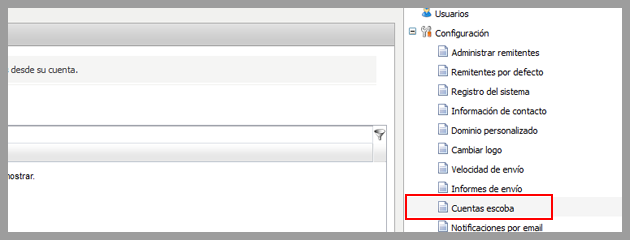
We recently added a small feature in the Mailrelay, free email marketing panel which will allow you to add an email address that will receive a copy of all newsletters sent through your Mailrelay account, (except test newsletters and notifications sent).
So far, if you had to receive a copy of all newsletters sent by your account, you would had to register your email address for all groups created in order to receive all messages sent. However, this method has a problem, you could forget to add your address in one of the groups, therefore, you would not receive newsletters sent from your account to this group.
With this new feature, you don’t have to worry, you can receive all messages sent from your Mailrelay, free email marketing account in the registered email address. Let’s see how to configure this feature. You only have to click on the Settings menu and select Sent copies:
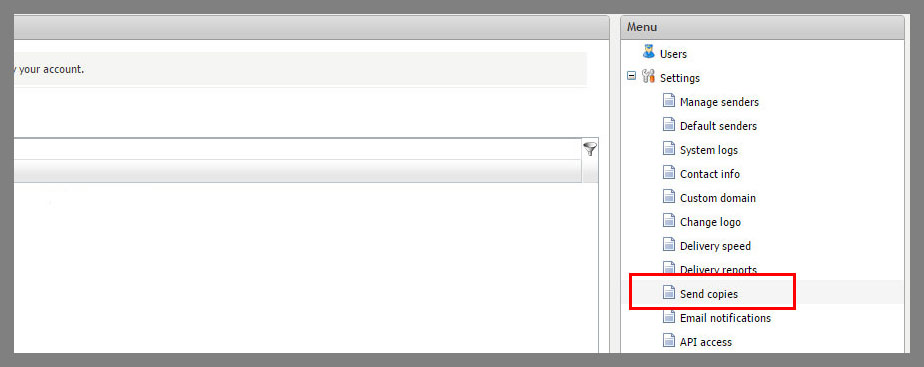
Within this menu, registering an e-mail address is very easy, simply click the Create button:
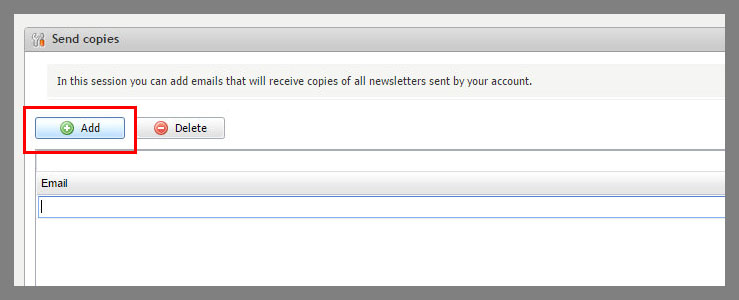
Clicking this button you will see where you can enter the email address to receive the newsletters:
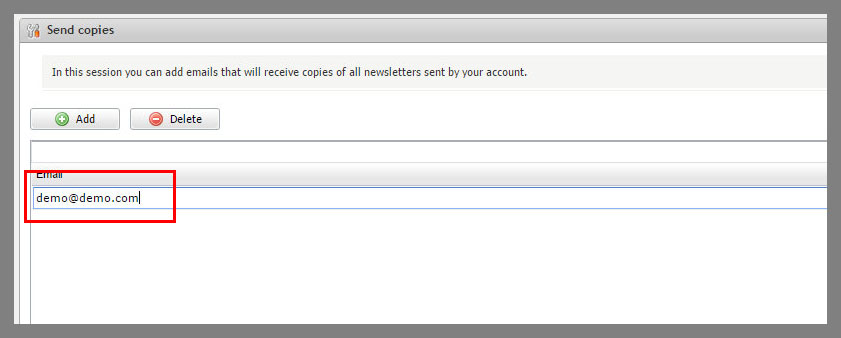
Once you finish editing the email address, it will be automatically saved and activated. Remember that when you send a test newsletter, the email registered in this menu will not get a copy, as this only works when you are sending a campaign.
This is a small feature that can be very useful to keep track of all newsletters sent by your Mailrelay account.
Leave us your opinion about this new option!
————————————————– ————–
Mailrelay is one of the best email marketing platforms you will ever find, create your free account today!