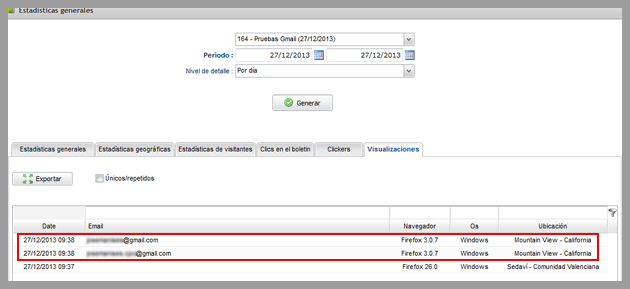
A few days ago, many blogs started posting articles about this new feature available on the Gmail web interface, most posts explained using strong phrases that Gmail “once again” wanted to destroy the email marketing industry. In some articles, it was published that all these changes were part of a conspiracy to force companies to use Adwords instead of email marketing.
In many cases, the exaggerated posts about the end of email marketing may have been published with the aim of attracting more visitors for these blogs, but most of this information is unfounded and has no basis in reality.
Today we will explain the truth about this feature
Presenting real and detailed data, using factual information. The first thing you need to understand is what was changed:
1.- From now on, the Gmail web interface, and only the web interface, (although gradually this feature will be expanded to mobile devices), Gmail will cache the images included in your emails.
Why should this feature make any difference on your email marketing campaigns?
This feature is related with information that enables the system to know whether or not subscribers are opening your email. To identify that the message was opened, the system inserts a very small and transparent image, when an user opens the email, if the user clicks to display the images, the software will “contact” the Mail relay servers to request this image, and when our system receives this request, it will be possible to register that the email was opened.
And if the subscriber doesn’t click to view the images?
In this case, the system cannot register the opening, that is why we always explain that a mailing usually have a greater number of opens than the system could register.
Could this feature prevent the system from registering that the email was opened?
No, because to store the images on their own servers, Gmail will have to download the images directly from our servers, when this is done, the system can register that the user opened the email.
Gmail will only download the images when the subscriber opens the email, not before, so we can register that the user really opened the newsletter..
The most common mistake, perhaps due to lack of concrete information, is to think that this image is the same for all campaigns and subscribers. In this case, if it were true, the images would be stored byGmail servers and it would not be possible to obtain real information about subsequent newsletters or subscribers who opened the email.
In the case of Mailrelay, free email marketing it doesn’t happen, as our email marketing software only works with tracking images that are:
– Unique for each campaign and subscriber.
This means that, for each campaign, for each subscriber, the system will generate custom tracking image and even if the server caches this image, it will not affect other subscribers who receive this newsletter, as well as not having any impact on future campaigns.
Important tests
Now we will show you the tests we have done, even if we were sure that there was no problem in registering the opens, we decided to prepare some tests so you can see for yourself that there is no problem with this new feature.
Please see the image below:
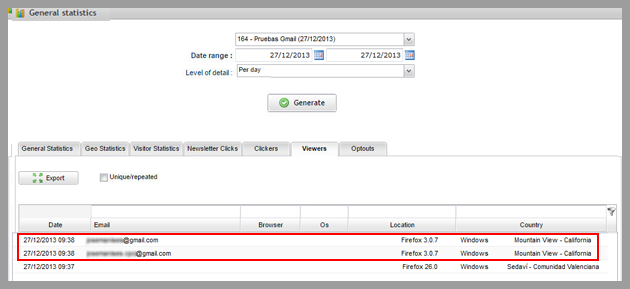
In this image you can see how the campaign was viewed by three users, two users were using Gmail, and the system identified the open correctly.
You can see that the system can register an email open, even if the user is viewing it on a Gmail account, it is also possible to identify which account that opened the email.
If the user opens the message a second time:
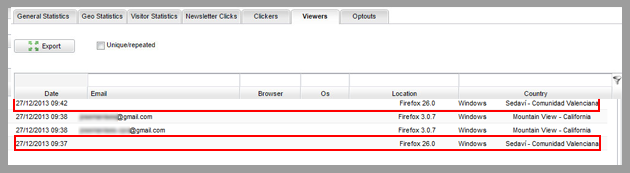
In this case it is possible to register the email open from other systems, but for subscribers using Gmail’s webmail interface, the system will not register that the user opened the email again. If you open the email using Gmail’s webmail interface, as Google is caching it, the system cannot register multiple email opens, the system will only register the first open.
After this newsletter, we sent another test email, and we opened several times this email:
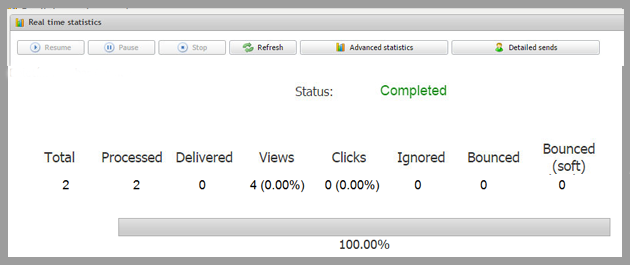
It is possible to see statistics in real time, and the system is registering email opens.
If you click to view the advanced statistics for this test campaign:
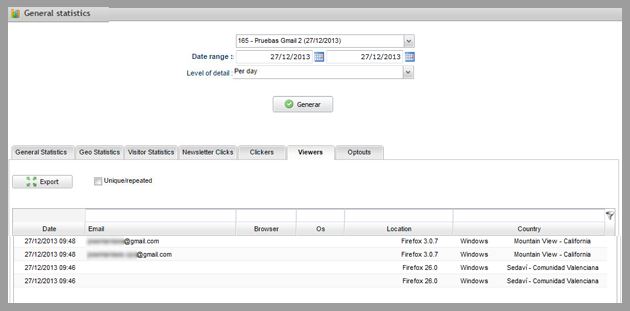
You can see how the email accounts could be detected without any problem, even Gmail accounts were registered by the system. We have sent a third test, which was opened only through the Gmail web interface:
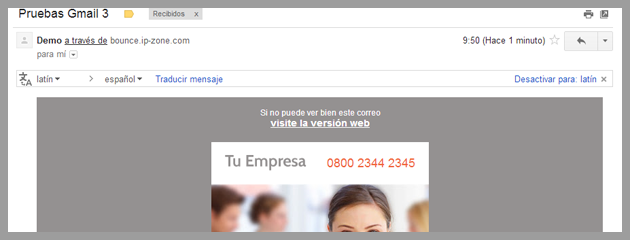
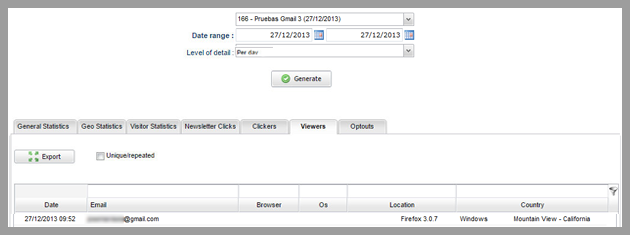
You can see that now the images were displayed by default, so the system registered the email open:
And if the user decides to open again through the same account, but using another device? In this case the system will register another email open, even if the user opened it using the same account:
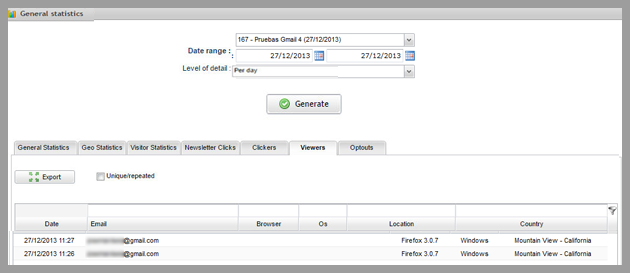
It seems that when an email is opened using the webmail interface, and the user opens it again using the Android API, the system can register two email opens, using the same account. Therefore, it is possible to deduce that for other devices, Gmail is not caching images. This means that if the user uses a mobile device, the system will register multiple email opens:

We can summarize that
It has been proven that unique email opens are registered, and continue to be a very reliable source of information.
This information became more reliable, now that Gmail displays images by default, it is possible to register email opens that perhaps before, with images disabled, were not being registered.
What is the data you won’t have?
With this new feature, actually some data will be lost, but the unique email opens are available, you won’t have:
– Multiple email opens, when the user opens multiple times the same message.
– Geographic location, as shown in the screenshots, now it is showing California “Mountain View
– Details about the browser and the operating system.
Although it is not possible to register multiple email opens, usually this data is not relevant to measure email opens, as most companies prefer to work with the information about unique email opens, due to the fact that the information about multiple email opens will not show the number of different users who opened the email.
What happens if the user is opening the email on a mobile device?
According to Litmus, only 20% of Gmail users access Gmail by the webmail interface, while 61% of users access Gmail through a mobile device.
The API for Android released by Google for Gmail is not displaying images by default, therefore users must still click the button to display images.
However, when the user select the option to display images, Gmail will cache them for later use, if the user decides to reopen the email.
However, Gmail has announced the goal is to start caching images automatically for mobile devices.
After this analysis
We can conclude that this change will not affect email marketing campaigns you send through mailrelay. The email opens are a reliable information, therefore you can continue to work with these data when creating your strategy.
Still, it is important to consider other metrics to measure the results of your campaigns, not just the open rate:
– Number of clicks on the links in your newsletter.
– Conversion rate of your newsletters.
These data are perhaps even more important to calculate the results of the campaign, but if you prefer to work with open rate, don’t worry, this information will continue to be available for Mailrelay users and you can use it safely to analyze your statistics. We hope this article has been helpful!
Don’t forget to share it!
And if you don’t have one, create your Mailrelay free email marketing account!