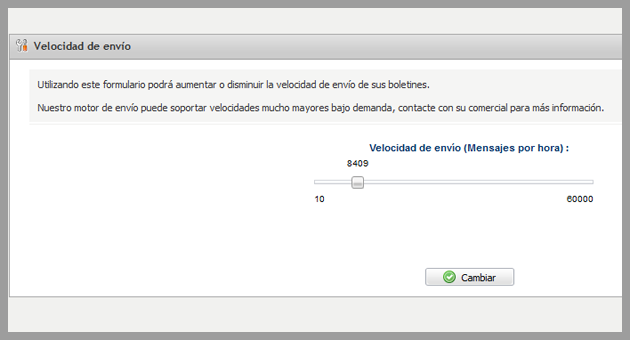
This is one of the settings for Mailrelay less known, although it can be of use in some situations.
It is possible to select the delivery speed of your account.
Where can you change this setting?
On your Mailrelay panel, by clicking in the Settings menu and selecting the option Delivery speed:
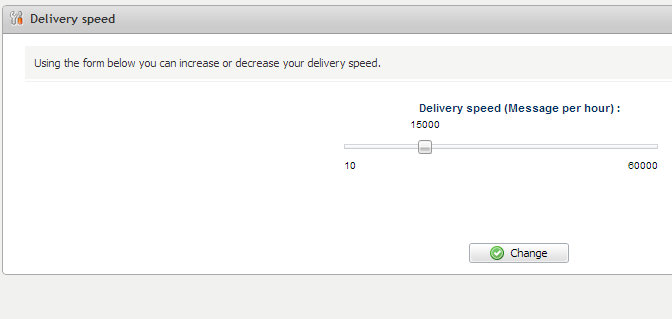
Here you can adjust the maximum number of emails per hour that your account will send.
By default it is set to 15,000 emails per hour, but you can increase or decrease the speed depending on your needs.
The selected value will be divided by 6 and every 10 minutes the system will pause if it have already achieved that volume of emails.
That is, at some point, the system may pause momentarily your campaign to meet the maximum configured delivery speed.
This is an automatic process, you don’t have to worry about anything, just choose the delivery speed you want.
What speed should you configure?
The answer is simple, the minimum possible to cover your needs.
For instance, if your DB has 50,000 subscribers and you want your customers to receive your newsletter between 9 to 14 hours, ideally you should set the delivery speed to 10,000 emails per hour.
Therefore, you can avoid or minimize any restrictions by ISPs and servers in the number of emails per hour, as these restrictions could affect your campaign, by blocking or queueing the sent emails.
When sending a large volume of emails, by decreasing the speed, you can also avoid overloading the servers where the images and URLs are hosted, if your newsletter contain external links.
It can also be useful for adjusting the response of subscribers to the number of emails your staff can reply to at once.
What speed is achievable?
The Mailrelay engine in periodic performance tests, has reached up to 8 million emails per hour, but the maximum speed that can be configured in the panel is 60,000 per hour.
However, we can increase the delivery speed for customers with special needs.
For example, there are several important media groups working with Mailrelay. These companies, when sending a newsletter, need it to get to the inbox of their users as soon as possible.
If you are in this category, or have similar needs, due to the fact that you have to send a larger volume than You can configure on your account, do not hesitate to contact our customer service department.
We will analyze your needs and reply as soon as possible.