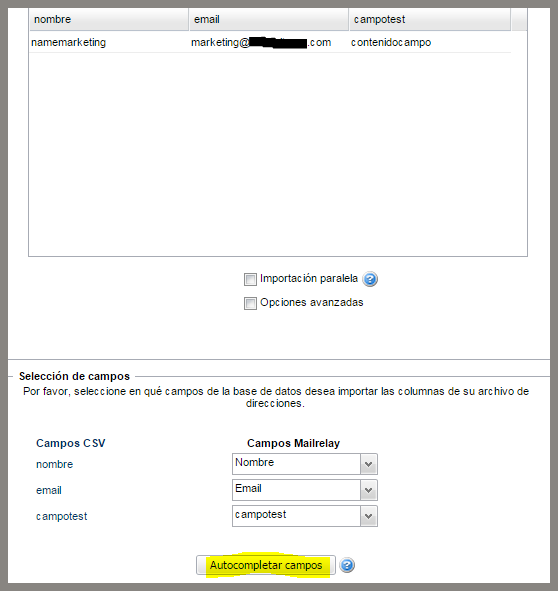
We have implemented a very useful improvement to import mailing list with multiple custom fields. Now, it is not necessary to create these custom fields in the system before importing the database.
For this to work, the file must have the name of each field in the first line, which is the header of the mailing list.
When you select the advanced import option, the system will import all fields of this header line, you just need to click the option Autofill.
The system will detect and map the fields automatically, starting with the fields name and email and will assign the other existing fields in the header. If the fields don't exist in the system, don't worry, they will be automatically created.
An interesting improvement which will greatly facilitate this process, to Import mailing lists, we hope you find it useful.