The Gmail team recently announced a new APP, called Inbox. This new option was not created to replace the one you use so far, but, it will be another way of reading and using your Gmail account.
What’s different about the Inbox by Gmail and how it will affect your email marketing campaigns?
For starters, Inbox separates messages by categories, or bundles, something you can do if you use Gmail, on your Gmail account you have tabs such as:
– Home
– Social
– Promos
– Etc.
Inbox offers new categories, such as:
– Travel
– Purchases
– Finance
In addition, you can create your own bundles as needed, so you will always have your emails organized correctly.
You can also view visual information of some e-mails without having to open the message, as in the case of a purchase, Inbox will let you know if the product was sent or not, or the images available.
It also will allow you to create reminders and postponing emails to receive these messages later.
You can decide when you want to receive the emails, etc.
These features don’t directly affect the email marketing, but there are other that could affect your campaigns. For example, as explained by Litmus, Inbox, as well as Gmail doesn’t support media queries, and therefore responsive emails are not displayed correctly.
Basically, when preparing the HTML for your newsletters, you can edit it the same way you do when creating a newsletter for Gmail.
However, there are two changes that I believe will affect your email marketing strategy:
1) Preview of the content for certain types of messages, such as emails with information about the status of products you have purchased, in which case the user doesn’t have to open the message manually therefore, your open rate may decrease due to this change.
2) Change the frequency for receiving certain emails. This option, in my opinion, is the functionality that can have a significant impact because it allows the subscriber to decide how often he wants emails to be displayed.
That is, if the user wants to receive all the promotions you send once a week and you send three emails, the subscriber will receive all three messages simultaneously.
These are the points that can definitely affect your open rate and that you should consider.
But it is not that serious, this functionality is just one aspect, if your subscribers can decide the how often they want to receive your emails, the less likely this user will unsubscribe or mark your email as spam, as they will have a greater control over these emails and you will not annoy your contacts with too many emails.
What is the design of Inbox?
Let’s see some screenshots for you to know the layout of the Inbox by Gmail.
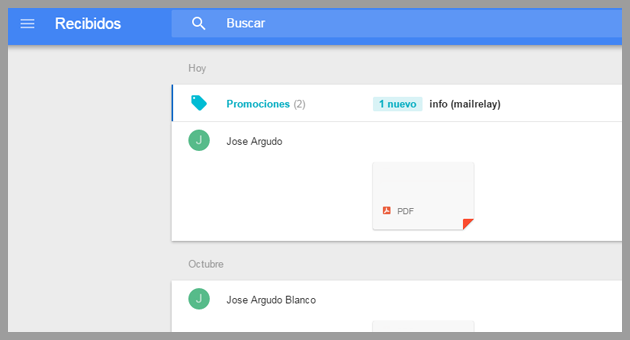
The first thing to note is the categories of messages, all your commercial emails will be bundled by default in the Promo category.
When not open, this folder simply shows the sender of incoming emails.
When you first click on the category you will see:
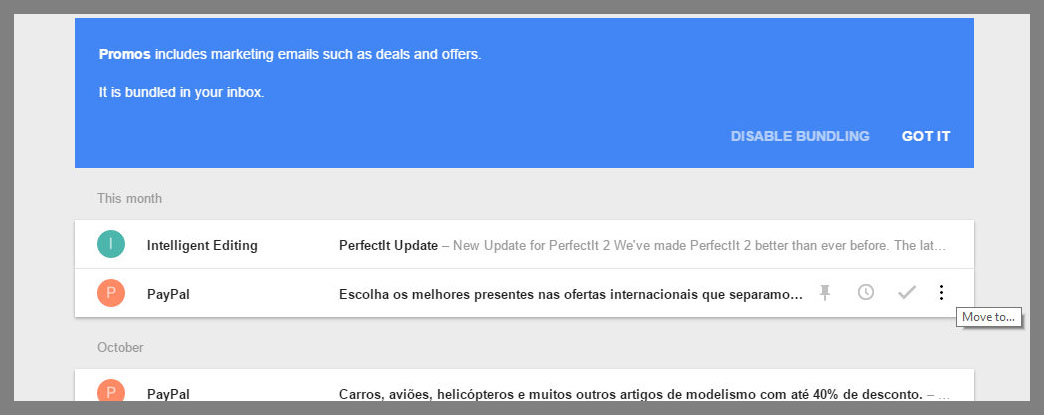
The first time you access it, the system will inform you about the type of emails you will receive in the category, promos, discounts and other types of emails about online marketing.
At this point there is the option to disable grouping if you wish to do so.
The system also separates the emails by date, or new emails. The way to display the subjects is similar to that used in Gmail.
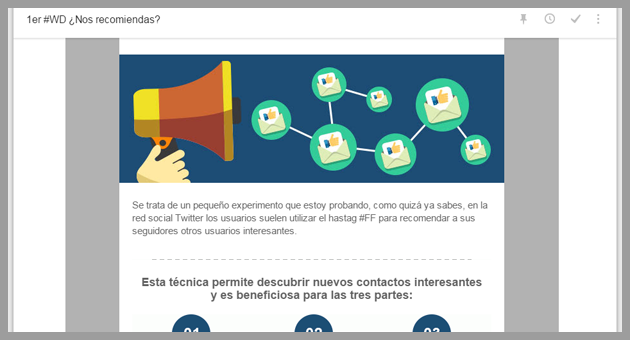
The internal layout is similar to Gmail, including the default configuration that will cache your images:
The options to create categories and when they will be displayed also are very easy to select:
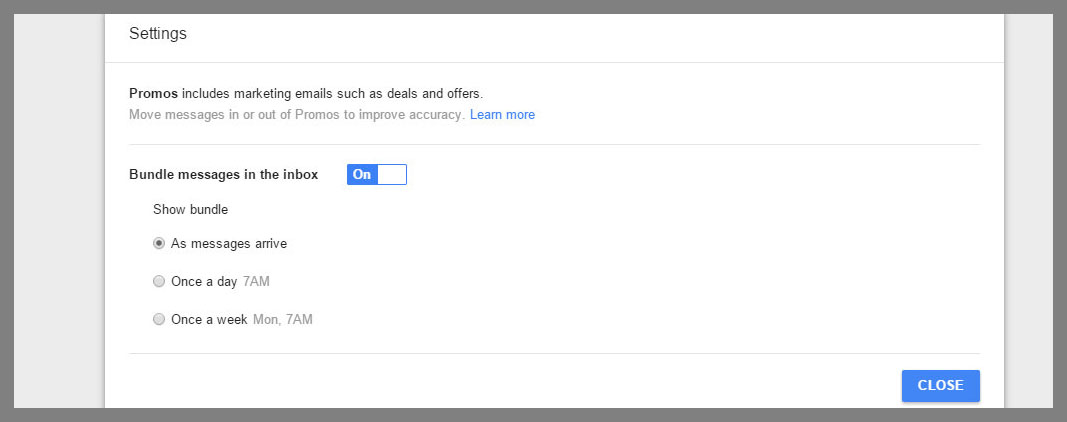
As you can see, in this case, the selected option is marked to display the group when messages are received, this is the default setting, but it is also possible to select to receive / view once a day or once a week.
This is what we explained before, you must be careful and Always review your statistics.
An interesting curiosity is the fact that you can mark emails as done instead of being excluded:
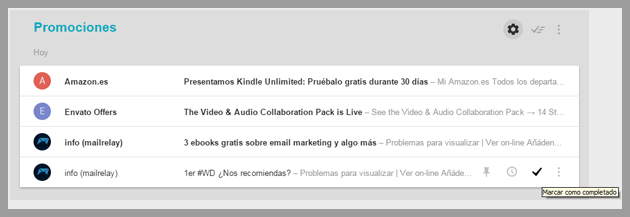
This will make them disappear from the list, but in reality you did not delete the emails. You can also add emails so that they are always displayed at the top of the list, or even program them so that they will be displayed at a later time.
As you can see this new tool has many interesting options.
Should we worry about our email marketing campaigns?
The truth is that at this time it is not necessary. Note that the number of users working with this new version is very small, you can only get an account by invitation, perhaps, you will need to wait a bit to see if it will have an effect on your subscribers. Also, remember that Gmail will remain active while the new tool is developed.
Anyway, we hope you have enjoyed this article. if you liked it, don’t forget to share it!
And if you want to send advanced email marketing, don’t wait and create your Mailrelay, free email marketing account now!