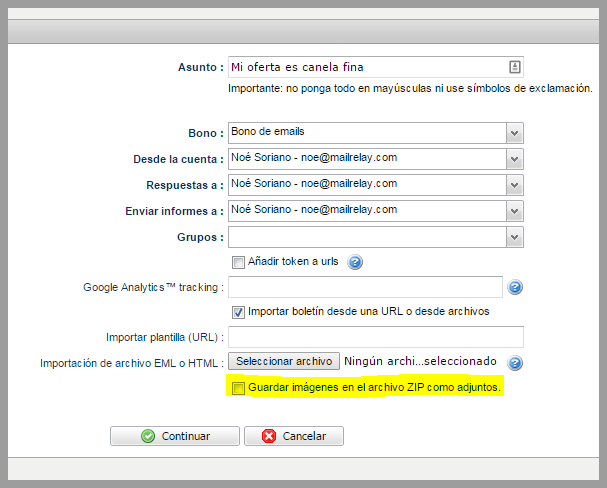
So far, when importing a zip file with a template, the system attached any included images in the email body.
This was purposely designed so that the user could view the images automatically, without having to click the button to display images. The user just had to upload the file and the system would attach all images.
However, this system had some drawbacks, first, these files may exceed the limit of 100 kb and consume more than one Credit per sent email.
In addition, attached images are not displayed in the web version of the newsletter.
At the request of some customers who wanted to import templates in zip file, but without attached images, our team added a check box to select the most suitable option for each option.
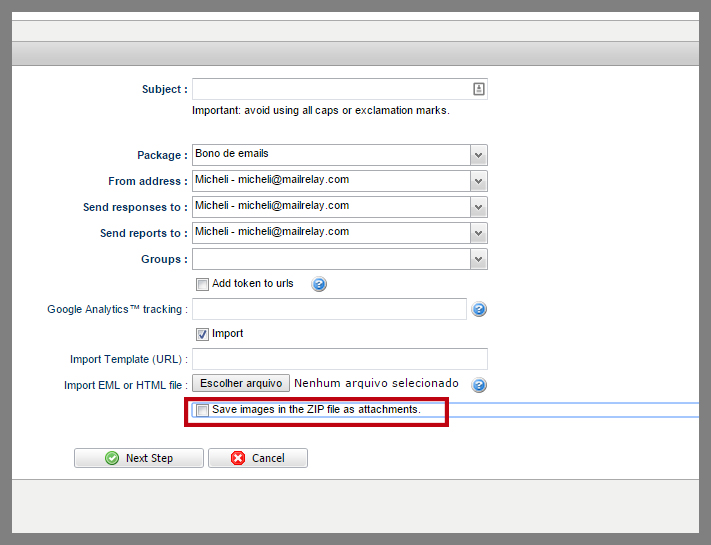
Until now, it was necessary to import the zip file, and add each image manually uploading them to the server by editing the newsletter, which was a time-consuming process when working with multiple images.
With this new feature, all images can be imported at the same time automatically, which also offers another much requested option to import multiple images at the same time.
We hope this new option will help you when creating your email marketing campaigns.