Many of our customers use the Mailrelay platform through the API, including some who have built their own sending platforms on the Mailrelay API. These platforms are completely functional, can send email newsletters, and get statistics on these newsletters. However, these platforms will not be able to display sending statistics.
Generating newsletter sending statistics is a bit complex, so the Mailrelay team has enabled a way to easily display these statistics–those that can currently be seen on the platform–on any external page.
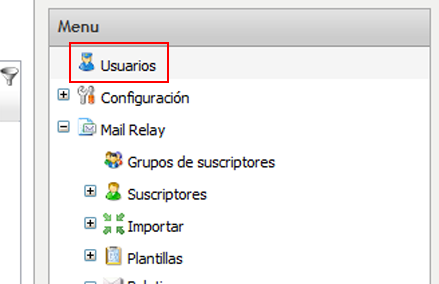
The process is very simple and doesn’t require any type of programming. It is easy to apply to any webpage. The first step will be to go the Administrator panel of our Mailrelay account. Then we will go to the “Users” menu:
Mailrelay, email marketing
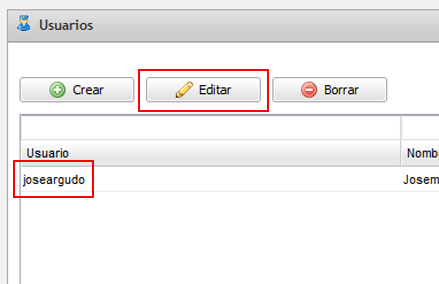
This menu will take us to the page where we have the list of users, and we will select and edit the one we want:
Mailrelay, email marketing
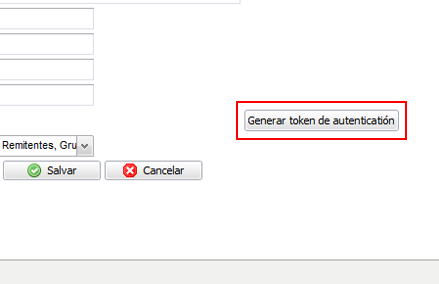
The user editor page will show the regular fields, and we will also see a button that says “Generate authentication token” at the bottom of the screen, as we can see here:
Mailrelay, email marketing
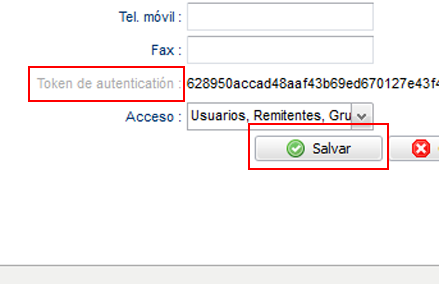
We will click on this button, which will generate a new authentication token, consisting of a string of characters:
Mailrelay, email marketing
We will copy this code to use later, and all that is left to do is save the changes on the form. That is all we need. We can now prepare a URL similar to this one:
[code lang=”php”]
http://demo.ip-zone.com/ccm/admin/index.php?page_name=stats&mailing_list_id=1&auth_token=166d1d80c276773de4a74549f720
[/code]
The part that we need to substitute is the ID of the newsletter we want to display:
[code lang=”php”]
mailing_list_id=1
[/code]
And the authentication token with ours:
[code lang=”php”]
auth_token=166d1d80c276773de4a74549f720
[/code]
With these changes, we will be able to directly load the URL:
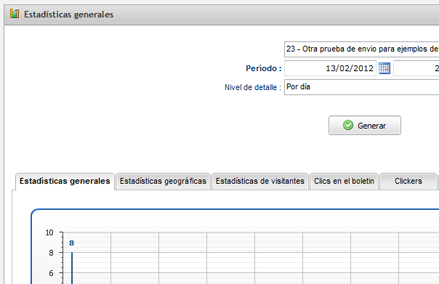
Mailrelay, email marketing
And it will display the graphs without any of the other Mailrelay elements, just the statistics. Thus, with a simple iframe, we can include statistical graphs in our application without having to program the statistics ourselves.
We hope that this has been helpful, most of all, for those of you who have created a newsletter sending platform on the Mailrelay API.