Create a confirmation URL for subscription forms

mailrelay , Invited guest @ Mailrelay

Several blog articles ago, we explained how to create a newsletter subscription form. This form can be inserted into our website or blog and allow visitors to subscribe to our newsletters. If you have not seen this blog article, you can find it here: aquí.

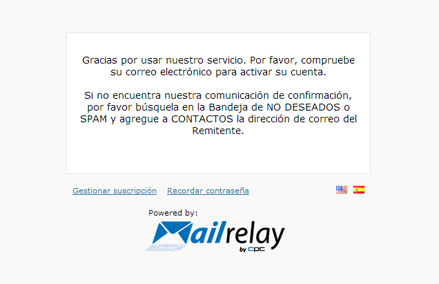
This was a fairly basic article, so we did not explain all the uses of this form. When subscribing to the newsletter, subscribers usually are taken to a page that looks like this:

URL confirmación alta

which takes the user away from our website. Now we are going to see how to change this so that when subscribing, users remain within our website. The first step, just like before, is to create the newsletter subscription form.

[code lang=”php”]

Suscripción a lista de email

Suscribete a nuestro boletín de noticias


[/code]

With this basic code, we will see a form that looks like this:
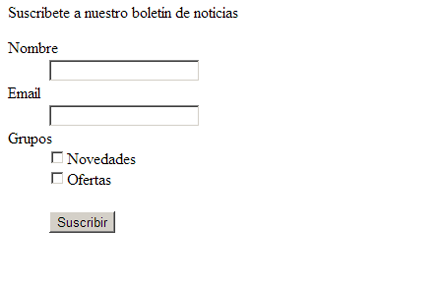
URL confirmación alta

In which the user can enter his name, email address and the lists to which he would like to subscribe. Once he sends the form, he will become a subscriber and he will be taken to the page that appears in the first image.

How can we make the user go to a different page? It’s very easy. All we need to do is modify the first code of the form, so that it looks like this:

[code lang=”php”]

Suscribete a nuestro boletín de noticias

[/code]

As we can see, we have indicated two URLs: sucessURL and errorURL. For the first one, in the value field, we will indicate the page where we want our users to be taken after completing the subscription. In this case, it will take them to this page:

URL confirmación alta

In the second one, errorURL, we will indicate the page the user will be brought to if an error occurs, in this case to a page that looks like this:

URL confirmación alta

In the case of an error, if we want the user to go to the platform’s error admin page: Mailrelay, we simply will not include that line, and the user, in the case of an error, will be taken to a page that looks like this:

URL confirmación alta

Besides that it’s also possible to define an URL for confirmation of activation. This URL indicates the page that the user will be taken after receiving and confirming his account. To specify this URL we will use the following code:

[code lang=”php”]

[/code]

Remember that in the value field, we must specify an existing URL on our website. Otherwise, the subscriber will receive “page not found” error.

This is a very useful method for maintaining the user on our website throughout the entire subscription process.

What do you think about this new possibility? Do you like it?

Mailrelay, email marketing

Leave a Reply

Your email address will not be published. Required fields are marked *

This site is registered on wpml.org as a development site. Switch to a production site key to remove this banner.