

Today we introduce a new feature to facilitate the management of multiple accounts. The option to transfer credits between different accounts.
If you manage multiple accounts, when you need credits, if you have credits available in another account, you can transfer them to your other account in order to continue sending your email campaign.
Can I use this option?
There are two important points to consider if you want to use this feature:
1) Both accounts must have a prepaid active package
2) The version on both accounts must be the same, standard or enterprise
IMPORTANT: the operation cannot be reversed, you cannot recover credits transferred to another account (unless the Administrator of the other account send the credits back using the same process).
How can you transfer the credits?
The truth is that the process is very simple. To do this, click on Billing -> Transfer Credits:
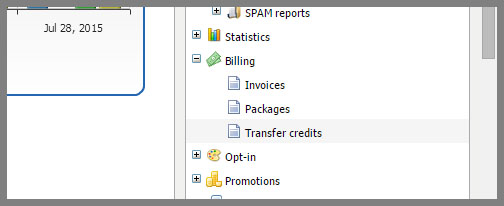
On this screen, you must enter two values:
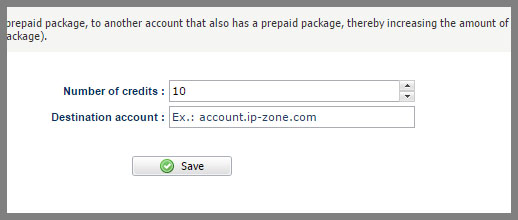
1) The number of credits you want to transfer
2) The destination account to which you want to transfer the credits
After inserting the two values, click Save.
The system will ask if you are sure you want to transfer the credits:
This is necessary because the credit transfer is not reversible, only click to confirm if you are really sure you want to transfer the credits.
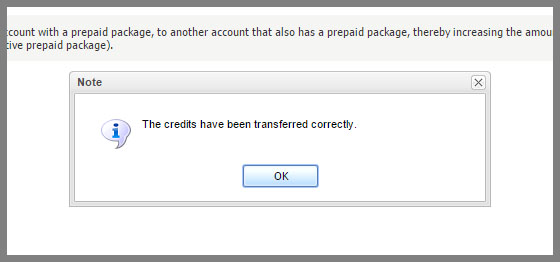
If the process is done correctly, the system will notify you:
If it is not possible to transfer, you will see an error message.
We hope this feature is helpful!