Today we will address an issue which will certainly be very useful for you: How to make sure your newsletter templates are displayed correctly.
Depending on the tools you use to create your template, you can find more or less display problems, keep in mind that many of the most popular html editors are not designed to create newsletter templates, but for creating web pages.
Therefore you must be especially careful, because the html used in a web page is not always compatible with all email clients and the users may have problems to view the template.
NOTE: You must also consider that the Mailrelay interface is a website, therefore the best way to know how your campaign will be displayed is by sending test emails and analyze the newsletter in different email clients.

What are the main aspects that should be checked?
If you want to see at a glance the compatibility of a template, You can review the source code.
Don't worry, you don't necessarily need to be an expert programmer, there are some key points that indicate possible problems in a newsletter template, and to detect them is very easy:
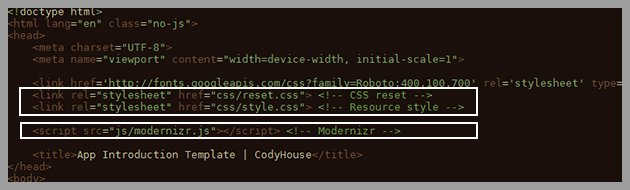
1) Link to external CSS files
This is very common in Web pages, as it allows the system to use the same styles across multiple pages without having to duplicate them.
The problem is that the email software cannot access these external files so that the styles will be lost. The solution is to include the CSS styles within the code, so that all the elements will be included in the message body.
2) Links to external JS files
Another common feature is the use of JavaScript code files, which can be used for various purposes, such as animations, transitions, sliders, etc.
There are two problems with these files: first, they are external files, which cannot be opened by the email software for security reasons, this means the JavaScript will not work.
The solution is not to use JavaScript when creating your newsletter template
3) HTML "web" code
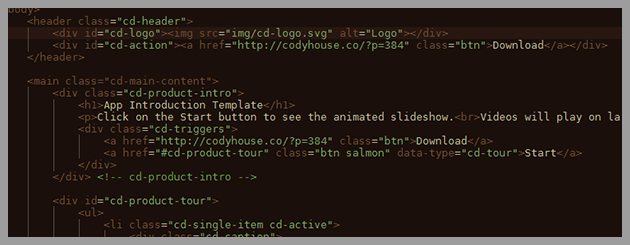
The two points above can give us a good idea of what will need to be changed in the newsletter template. And to some extent they are fixable. But now, look at the image above.
You will see many tags as header, main, div, id, class, etc. this can be a problem, this is an HTML designed for a web page, not an email. We should be seeing things like table, tr, td, style and in general, a more clean code. Editing this type of code to work correctly as a newsletter is quite complicated and it is difficult to ensure that the email will be displayed without errors, it's not a very good idea to try to edit it manually.
The truth is that it is best to start again, with a new code whenever possible.
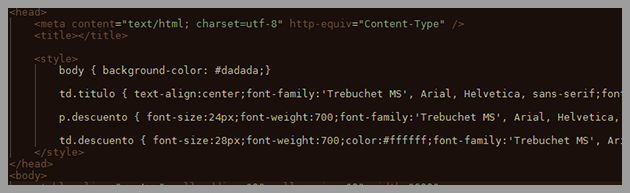
4) Styles in "head"
This is much less problematic, but can still give much headache. If you look at the image above, we have a style tag inside the template header, head ..
These tags will set different settings to be applied to the template, for example:
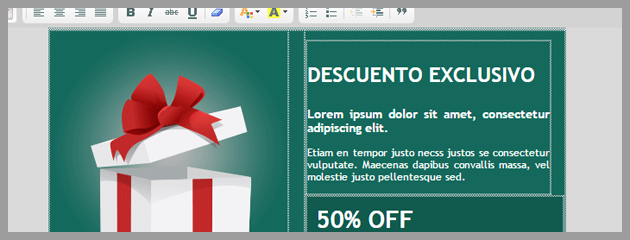
In the Mailrelay editor the template is displayed correctly, and in many email clients too, but in Gmail:
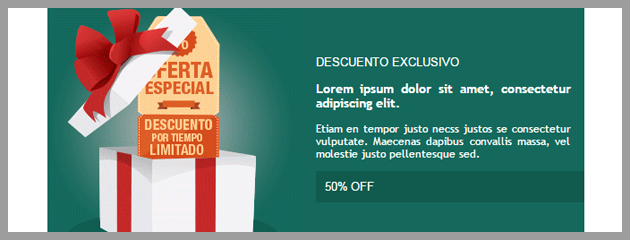
Gmail seems to have other plans for the template, displaying another background color and differences in the text. Basically, Gmail is not applying the styles, it is not that it is not really applying styles, but Gmail eliminates the style tag inside the head.
Therefore, it is best to insert this tag in the body, for example: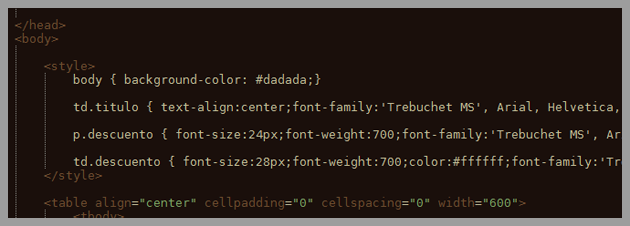
The styles will not be removed, but it is quite likely that some email clients will have problems to use them.
Por quê?
Because we are using selectors, for example: td.titule
Here we are indicating that the system should apply these styles when finding a td of a class, title name, you can see an example here:
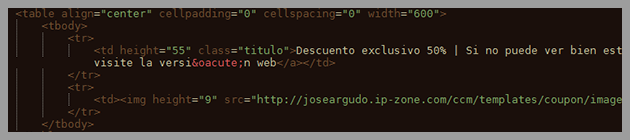
The problem is when the email client cannot understand these commands
How could we use these tags?
Well, the safest option and widely supported by most email clients is to use inline styles
What are inline styles?
They are inserted into the styles of the element itself to which the style must be applied, for example:

As you can see, within the td tag there is a style tag with the different styles to be applied.
Here there is no possible error, the element includes the styles you want to use, therefore, for instance, the email will be displayed on Gmail:
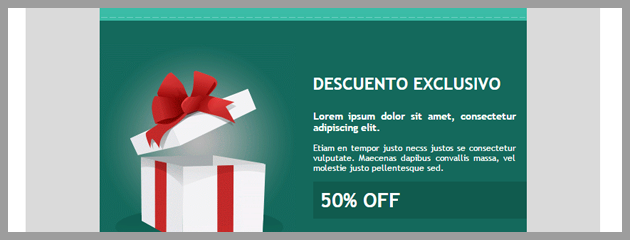
This is the most effective solution.
Try to always use inline styles, when creating a newsletter template. This point, if considered when creating a newsletter template, is not very complicated. But if you need to edit the code when the template is ready, the problem is much more complex. This will be more laborious and will take much longer.
That is, the most effective solution is also the one which will take more work.
Fortunately…
There are tools that do this work automatically, when used correctly.
Such as Premailer
A very easy to use tool that will change the styles of your newsletter template for the inline format.
The process can be done very fast in three steps:
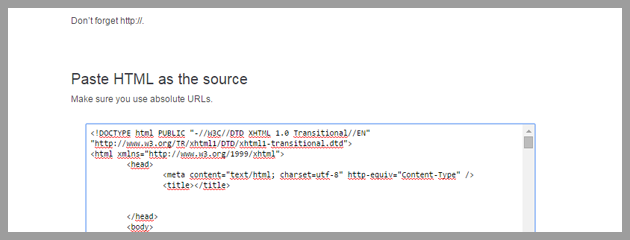
1) Copy the HTML code in the field "Paste html" as the source
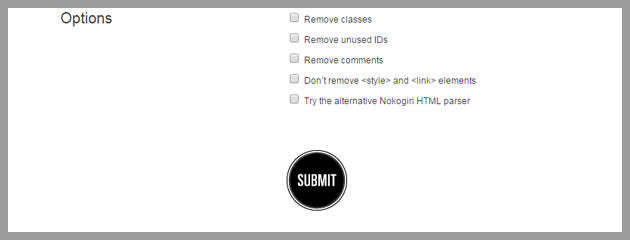
2) Click the button "submit"
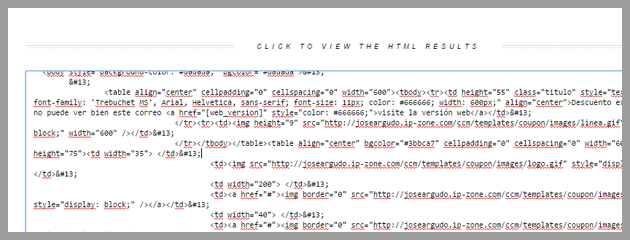
3) And in the next page, in the field "Click to view the html results", you can find the code prepared, ready to be copied, you will have to past it on the Mailrelay editor
Very easy, isn't it?
It is certainly a very useful tool that can help to solve many display problems in your newsletter templates.
But don't forget, this tool doesn't work in 100% of cases, it is unable to fix all the problems of all templates.
It also will not change the HTML code base (which we mentioned in point 3), It would be more difficult to fix it. But for some tasks, this tool works very well and will facilitate your life.
I also would like to recommend another article that talks about newsletter templates, you can find it on this link.
With these two posts, you have many resources to address various problems in your newsletter templates.