
We have many questions on this point, because Mailrelay works in a different way from other email marketing softwares.
The first thing to explain is that the main field or parent field in the database is the email and it is not possible to have two or more records with the same data in this field.
This means that you can’t import different databases, changing the order of the email field.
Here’s the obvious question
So how can I have different mailing lists, such as “Store subscribers” and “blog subscribers.”
In Mailrelay, the email address is assigned to one or more subscriber groups.
For example, let’s imagine 2 subscribers, Manuel and Felipe. Manuel is registered for our 2 groups of this example, while the subscriber Felipe only was assigned to one group.
In the previous example, the subscriber Manuel has only one record in the database, but is registered in both groups.
While the subscriber Felipe is registered only in a group.
When sending the newsletter to one of the group, only the subscribers assigned to this group will receive the email. If the subscriber Felipe is not in the selected group, he will not receive the newsletter.
Now many users ask:
“If I select a newsletter and send it to both Groups, will the subscriber Manuel receive the email twice?”
The answer is no.
The system filters the lists when you select the groups and will not send the email to the same subscriber more than once.
Important: Be careful, if you send the same newsletter, first to one group and then to the other, in this case the same subscriber who is registered in both groups will receive twice the newsletter, because for the system, they are separate campaigns.
Finally, let’s talk about another very common question in our customer service channels.
If I import a CSV to the wrong group, how do I fix it?
There are two ways.
You can delete the subscriber group and create another group, importing the database into the correct group, or you can use the Advanced filters on the panel, using the unassign option (However you will need to have imported the database into the correct group Before using this procedure.) Therefore, it is better to just delete the group and create a new one.
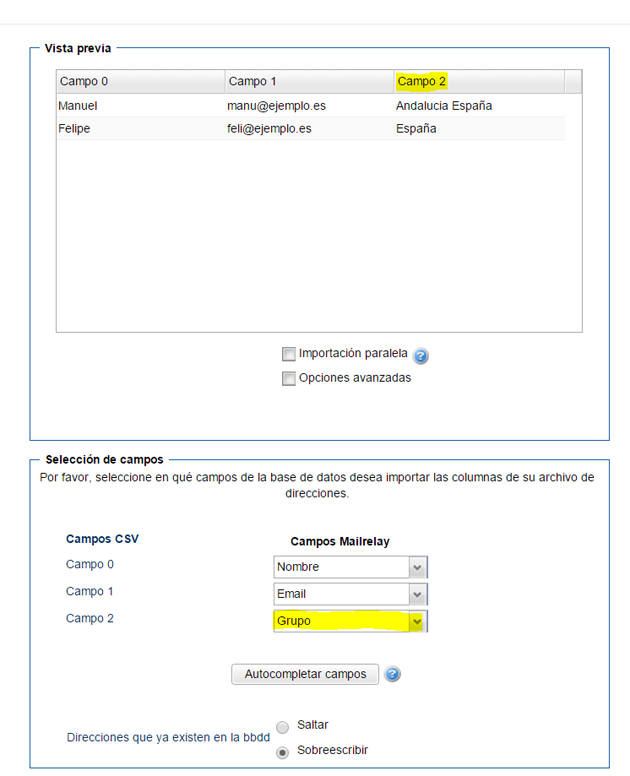
How to import subscribers to several groups at once
It is possible with the advanced import to load a database automatically to multiple groups using the option to add multiple groups:
Subscription form with no group selection