
We receive many queries on our support department from users asking questions about the Real-time statistics of a campaign.
This is a very important aspect offered by some free email marketing tools.
In this article, we will explain a procedure that will allow you to generate a complete report on a database that was imported for a single group, after the campaign was sent to the subscribers.
BEFORE SENDING
1- Import the database “Duplicate, poorly written and previously reported as Spam
After you import the file, you will have relevant data to be included on the report on the database and their status after the campaign has been sent.
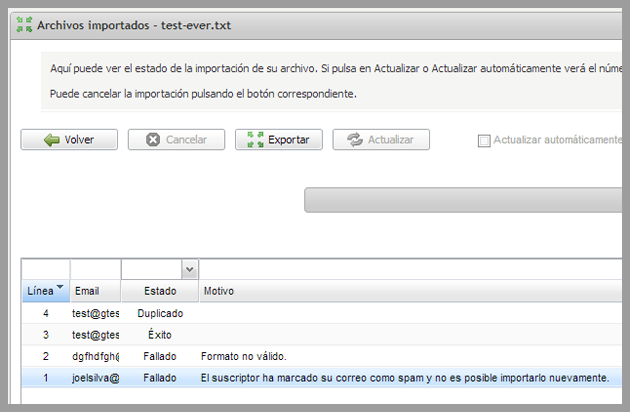
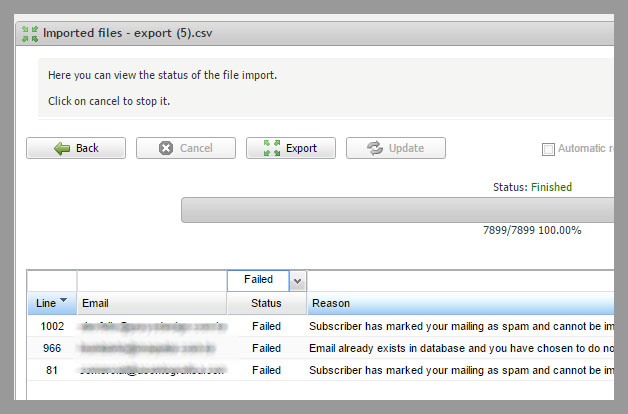
In the menu Import -> imported files, Double-click on the file and on the status list, you can view and export to your report all lines which are wrong or have syntax errors in the original file.
These emails are marked as “invalid format” in the reason column.
On the same screen, you may also see the emails that were not imported because users marked previous campaigns as spam will be displayed. The reason you will see in this case will be:
“Subscriber marked your email as spam and cannot be imported again. “
You can also see the duplicate emails which already exist in the database.
2- Bounced and opt-outs
After importing, and before sending the newsletter, this system is one of the free email marketing tools which offer you other reports, just click on Subscribers and select “Bounced” and opt-outs, to download these subscribers as well.
For the emails that previously bounced with error “hard bounce” and were marked as invalid, or unsubscribed, the subscribers will be available for download, but you cannot change their status on your panel.
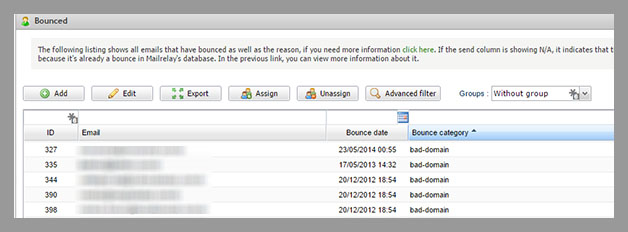
These records are displayed as Ignored in the statistics screen, along with emails imported to the blacklist.
AFTER the campaign has been sent
3 – New bounced and unsubscribed subscribers
In the same section mentioned above, you can see the new bounces and opt-outs, after the campaign has been sent by selecting the group in the database and comparing the dates. Subscribers who were added to this list after the newsletter was sent, will be your new bounces and opt-outs.
Another possibility would be to use another functionality, Offered by free email marketing tools such as Mailrelay, is the information of the newsletter origin of the opt-out.
4 – Real-time statistics total number of new bounces and soft bounces
The total number of new bounces can be seen quickly in the real time statistics, it will be available for all your campaigns.
In this section you can also see the total soft bounces, emails that have not been delivered due to any failure reported by the server, but these are not permanent errors to be marked as hard bounces.
The list with these emails is more difficult to obtain, but you can download it on Sent newsletters -> Download Records.
You will need to review the status column, by filtering out delivered emails and The hard bounce codes (which can be found here) you will have the soft bounces.
5 “Subscribers” “Advanced Filters” active subscribers
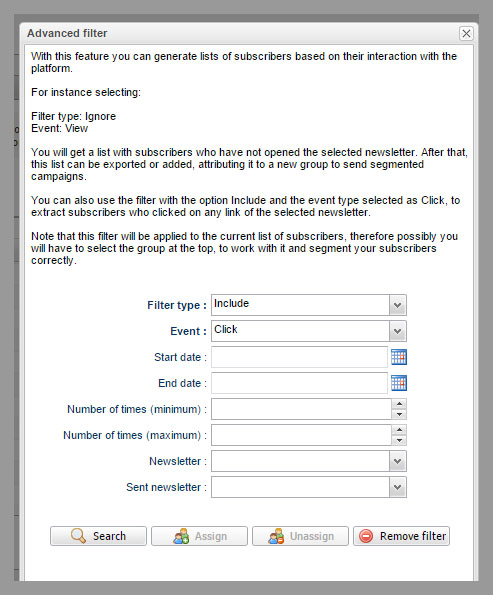
Another interesting information you can include in a report will be subscribers wich “interacted” with the campaigns (clicked or viewed the emails) this iformation will be available from the current newsletter as well as previous campaigns.
You can get this information from the Subscribers menu, selecting the group and clicking the Advanced Filters option, a interesting feature, which you cannot find in many free email marketing tools.
6 – “detailed Sends ” emails in queue
Finally, although it is not a permanent data, the option detailed sends is also very interesting, you can see the emails that are queued and which will be sent later according to the rules of each server.
That is, they have not yet been delivered, and will be sent later, however these emails should be taken into account if you add the total number of contacts, so that you can have all the information in the report.
In summary
A simple procedure that will allow you to better understand the status of a subscriber database and its evolution as the campaigns are being sent.
The list of subscribers is the core of your email marketing campaigns, therefore it is important to know its status and, if necessary, correct any problem.
It is important to work with free email marketing tools which offer you as much information as you need, to help you understand and correct your strategy.