Tutorial on how to Setup the Autoresponder

mailrelay , Invited guest @ Mailrelay

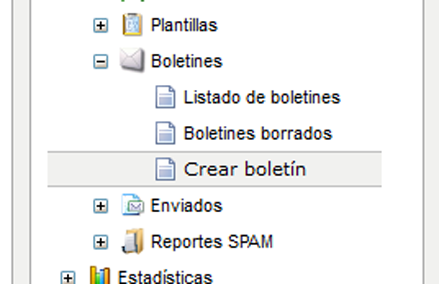
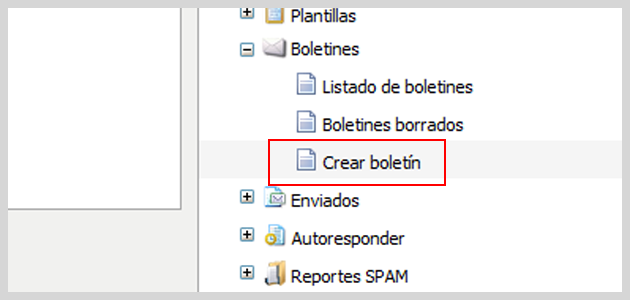
We recently added new features to our autoresponder, so that this system can be used for a wide range of businesses and needs. Now, there are several ways to use the Autoresponder, but we’ll explain everything step by step. firstly, you need to create the newsletter, (or newsletters) you wish to be sent:   At […]
Adding attachments safely without increasing the size of the email

mailrelay , Invited guest @ Mailrelay

Mailrelay is one of the best email marketing platforms today, with several tools for the creation of your campaigns. Many times you will need to add attachments to your newsletter, a PDF file with a presentation, a price list of your products or services, videos or even very large images. Although Mail relay allows attachments […]

Create a confirmation URL for subscription forms

mailrelay , Invited guest @ Mailrelay

Several blog articles ago, we explained how to create a newsletter subscription form. This form can be inserted into our website or blog and allow visitors to subscribe to our newsletters. If you have not seen this blog article, you can find it here: aquí. This was a fairly basic article, so we did not […]

Accessing statistics with Token

mailrelay , Invited guest @ Mailrelay

Many of our customers use the Mailrelay platform through the API, including some who have built their own sending platforms on the Mailrelay API. These platforms are completely functional, can send email newsletters, and get statistics on these newsletters. However, these platforms will not be able to display sending statistics. Generating newsletter sending statistics is […]

What is the DKIM system and how does it work?

mailrelay , Invited guest @ Mailrelay

The DKIM (DomainKeys Identified Mail) system originates from the DomainKeys system first developed by Yahoo as a way for email to be validated by its recipient, verifying that the origin of the email really is the sender that appears in the heading of the email. This system is not really designed specifically to fight SPAM; […]

20 tips to keep your newsletter from being tagged as SPAM

mailrelay , Invited guest @ Mailrelay

After the success of our last article, “How do I know if my newsletter will be detected as SPAM?” in which we explained how to analyze our newsletter’s SPAM score, many of our readers asked us for more tips when creating newsletters. In Mailrelay, we don’t just want to be the best platform for sending […]

How does Mailrelay manage invalid email addresses (bounces)?

mailrelay , Invited guest @ Mailrelay

In this article, we are going to explain a very important concept, bounced email, and how Mailrelay manages these emails. The first thing is to understand is what happens when we import our list of subscribers. We already know that to import a list of email addresses, we need to access the “Import” menu and […]

Inserting background images in tables in our email newsletters

mailrelay , Invited guest @ Mailrelay

Another new feature introduced to Mailrelay recently is the ability to insert background images in tables. Previously, we had to be familiar with HTML in order to do this, but now we can do it directly from the editor tool. Let’s see an example, by going to our Mailrelay account and the “Create a newsletter” […]

How to send videos in Mailrelay newsletters

mailrelay , Invited guest @ Mailrelay

In this article, we are going to see how to include videos in our Mailrelay messages. As always, this is very easy. To do this, we are going to use the external server that found here: m.vid.ly When using this service, not only do we guarantee the conversion of our video to different formats, ensuring […]

Can I use email addresses with accents, ñ or ç?

mailrelay , Invited guest @ Mailrelay

Whether you want to send your newsletter from an email address that contains these characters, or between the accounts of your target clients exist accounts that contain these characters, we must consider several things. On the one hand we must understand that an email address is divided into two parts, separated by the @: local-part@domain-name […]

This site is registered on wpml.org as a development site. Switch to a production site key to remove this banner.